
Getting Started
To use Closer Intellect AI, you must first create an account or be invited by an Administrator of an existing Agency.- Navigate to the application URL.
- Click Sign Up to create a new organization, or Sign In if you already have an account.
- Upon first login, you will complete a brief onboarding process to set up your profile and agency details.
Smart Strike Dashboard
Real-time performance tracking and priority leads.
Second Brain
AI-powered sales strategies and memory triggers.
Contracts & Deals
Automated PDF generation for closing deals.
Gamification
Earn badges and track your daily performance goals.
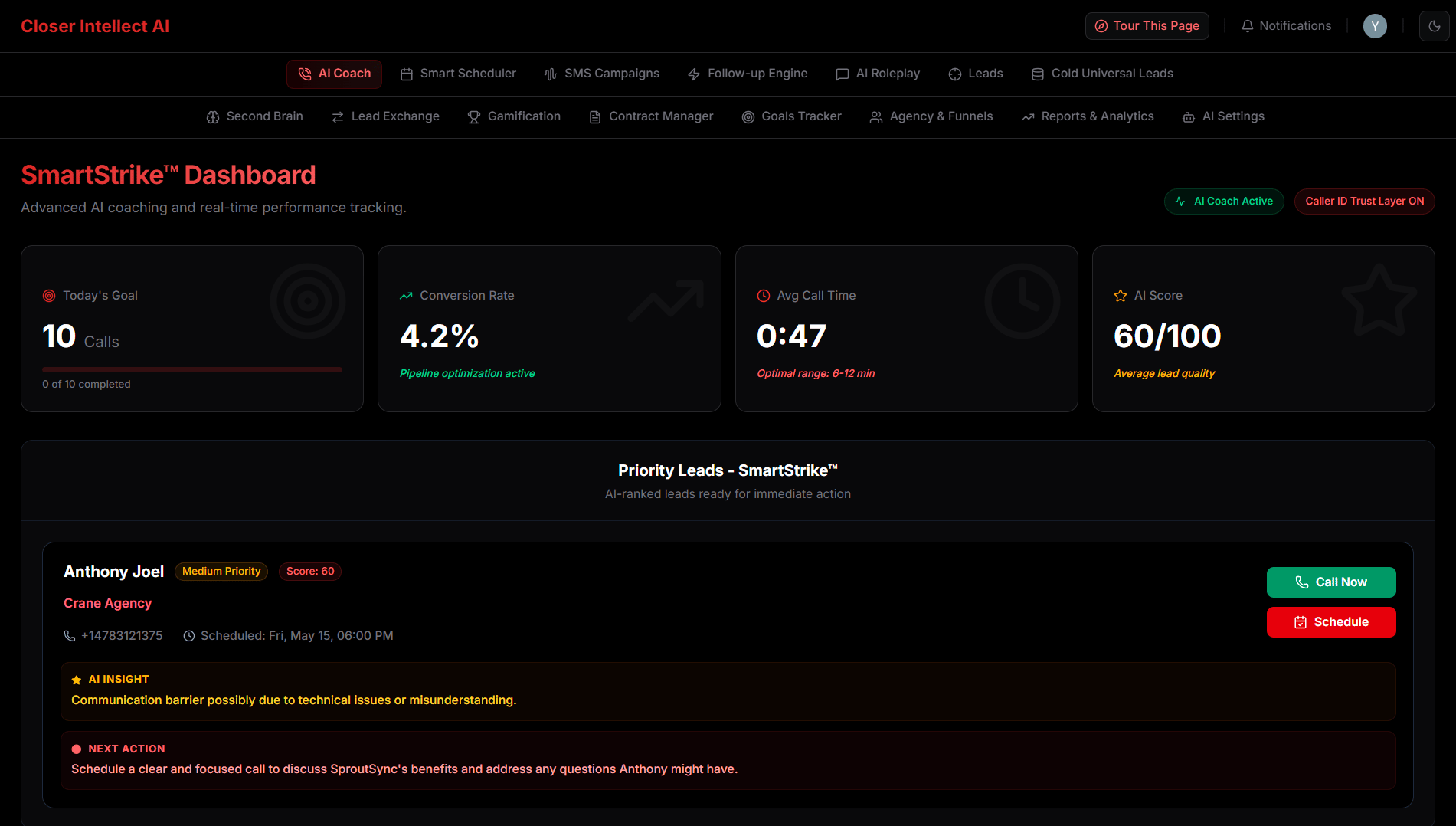
Smart Strike Dashboard
The Smart Strike dashboard is your mission control for high-priority sales activities, now featuring a premium red-themed dark mode for better focus and clarity.- Priority Leads: Instantly see leads with upcoming scheduled calls or those requiring immediate attention.
- Statistical Summaries: Track your performance with real-time stats on call volume, connection rates, and coaching scores.
- Manual “Call Now”: For human agent calls, you now have full control. Click “Call Now” to initiate a call when you’re ready.
- Intelligence Drop: Before every call, review the AI-generated “Intelligence Drop” to get a 30-second briefing on the lead’s history, pain points, and recommended approach.
- Analytics Command Menu: Use the new premium command menu to quickly search and navigate through historical analytics and lead sessions.
AI Coach & Live Call Experience
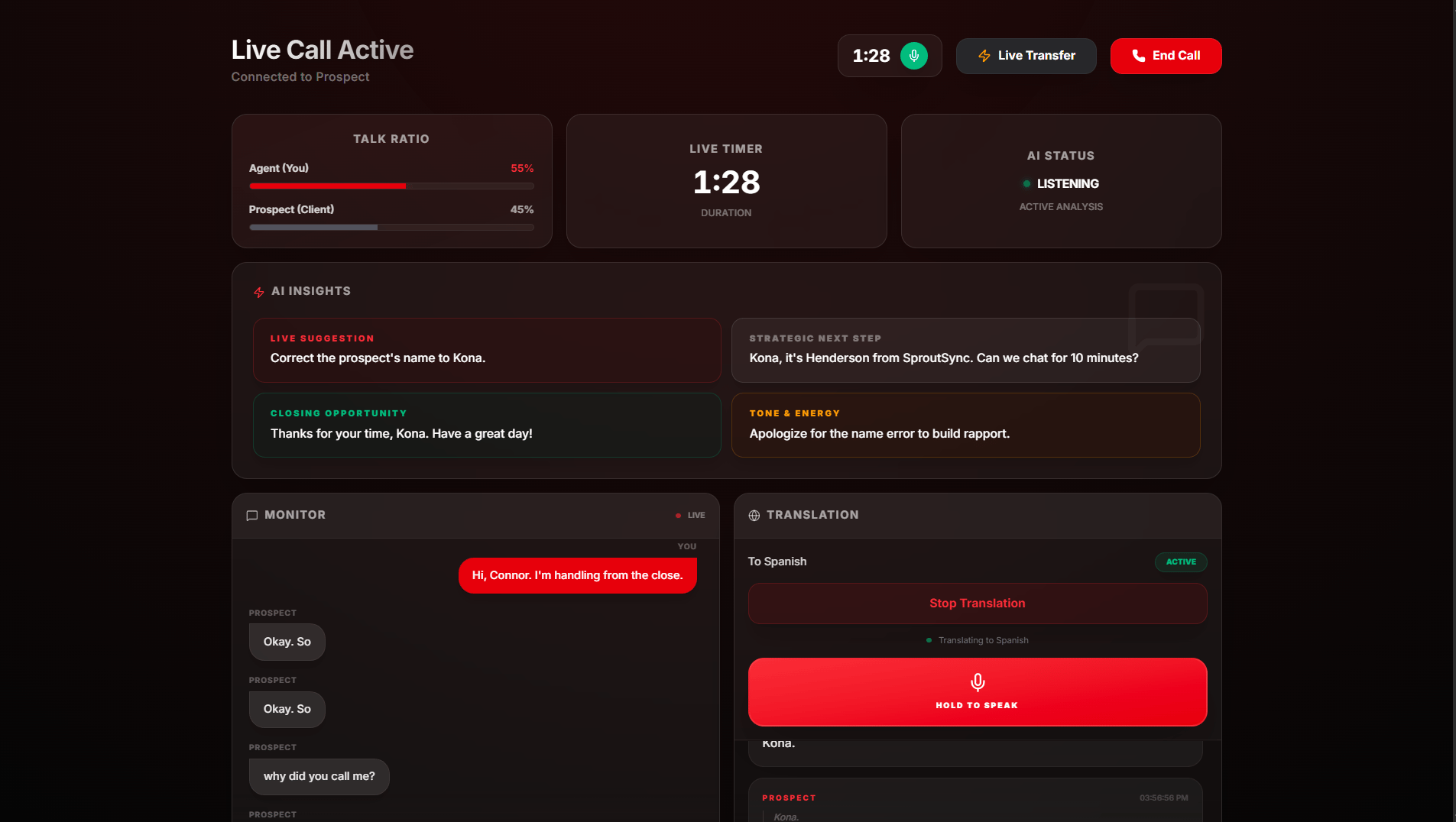
The AI Coach has been significantly upgraded to provide a more stable and powerful calling experience.- Live Translation: Select your preferred language, and the AI will provide real-time guidance and transcripts translated instantly.
- Smart Mounting: The coaching assistant now exclusively mounts when the prospect answers, ensuring you have a clean interface during the ringing phase.
- One-Click Termination: Use the integrated “End Call” button for reliable call completion and immediate cleanup.
- Coaching Assist: Receive live feedback on your tone, pitch, and handling of objections via the Coaching Assistant.
Leads Management
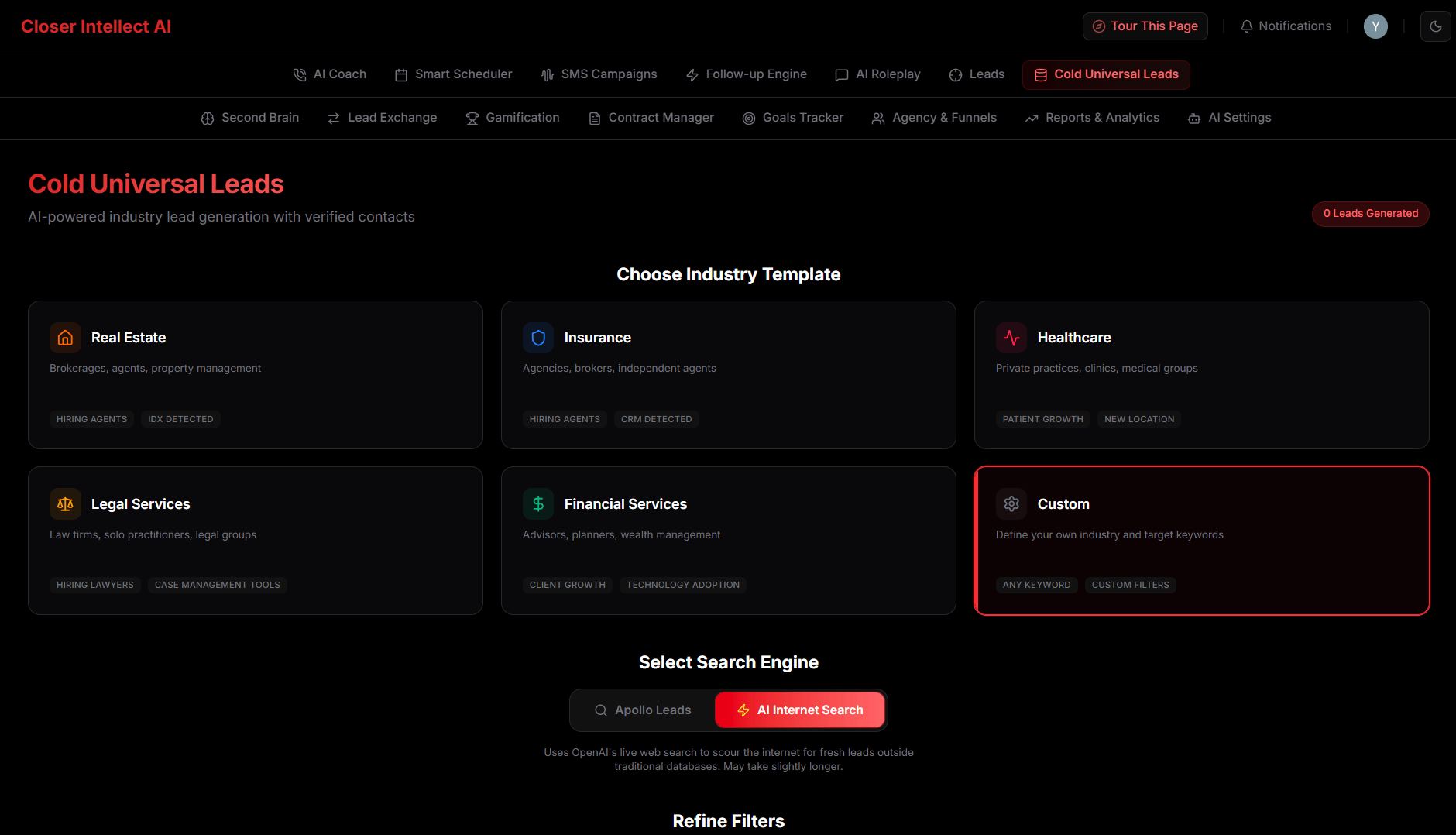
The Leads section is your central hub for finding and organizing potential clients.- AI Lead Search: Use natural language prompts to search for leads. Toggle between Apollo’s database and GPT-4o powered web research.
- Event-Driven Summaries: Lead summaries are automatically updated by AI whenever an interaction occurs (Call, SMS, or Stage change).
- Lead Groups: Organize leads into custom groups. Enroll entire groups into sequences with one click.
Lead Marketplace
The Marketplace (or Lead Exchange) is a collaborative environment where high-quality prospects are shared across the agency.- Simplified Layout: The marketplace has been redesigned for maximum clarity. See the full Battle Plan and lead context without extra clicks.
- Reviews & Ratings: Rate shared leads to help your team identify top-tier opportunities.
- Sharing: Use the “Share” action to list a lead. Specify a Commission % and context for your peers.

Automated Contracts
Close deals faster with automated document generation.- Auto-Generation: When a lead is marked as ‘Closed’, the system automatically builds a professional PDF contract based on the agreed-upon terms.
- Template Editor: Customize your contracts by adding or removing sections like “Terms of Service”, “Payment Schedule”, and “Deliverables”.
- Instant Access: Download and send your contracts directly from the lead’s profile.

Gamification & Achievements
Stay motivated and track your progress with our reward system.- Badges: Earn unique badges for achieving sales milestones, maintaining high call volumes, or achieving top-tier coaching scores.
- Daily Goals: Track your daily progress against call and lead targets directly on the dashboard.

Campaigns & SMS
Reach out to leads at scale using individual campaigns.- SMS Campaigns: Track delivery status, open rates, and direct replies in real-time.
- Inbox: Reply to contacts directly. Conversations are synced across your team.
- Convert to Lead: Instantly move interested SMS contacts into your core lead database.

Follow-up Automation Engine
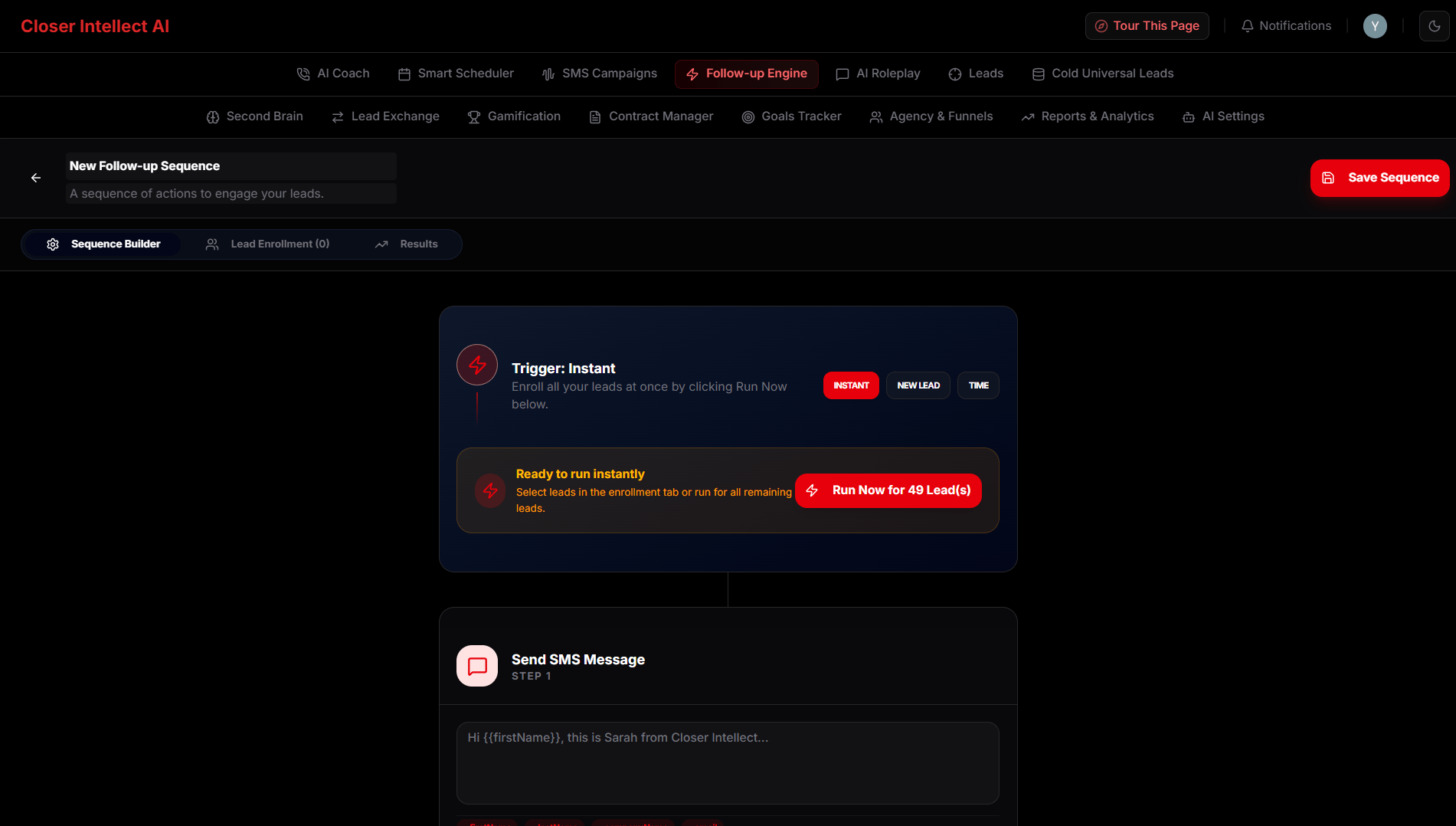
Orchestrate multi-channel outreach (SMS, AI Voice) with a visual timeline.- Triggers: Start sequences automatically for “New Leads” or trigger them manually.
- Run Now (Zap): Bypass delays to immediately trigger the next step for selected leads.
- Transcripts: Review full AI Voice call transcripts and sentiment analysis to prepare for follow-ups.
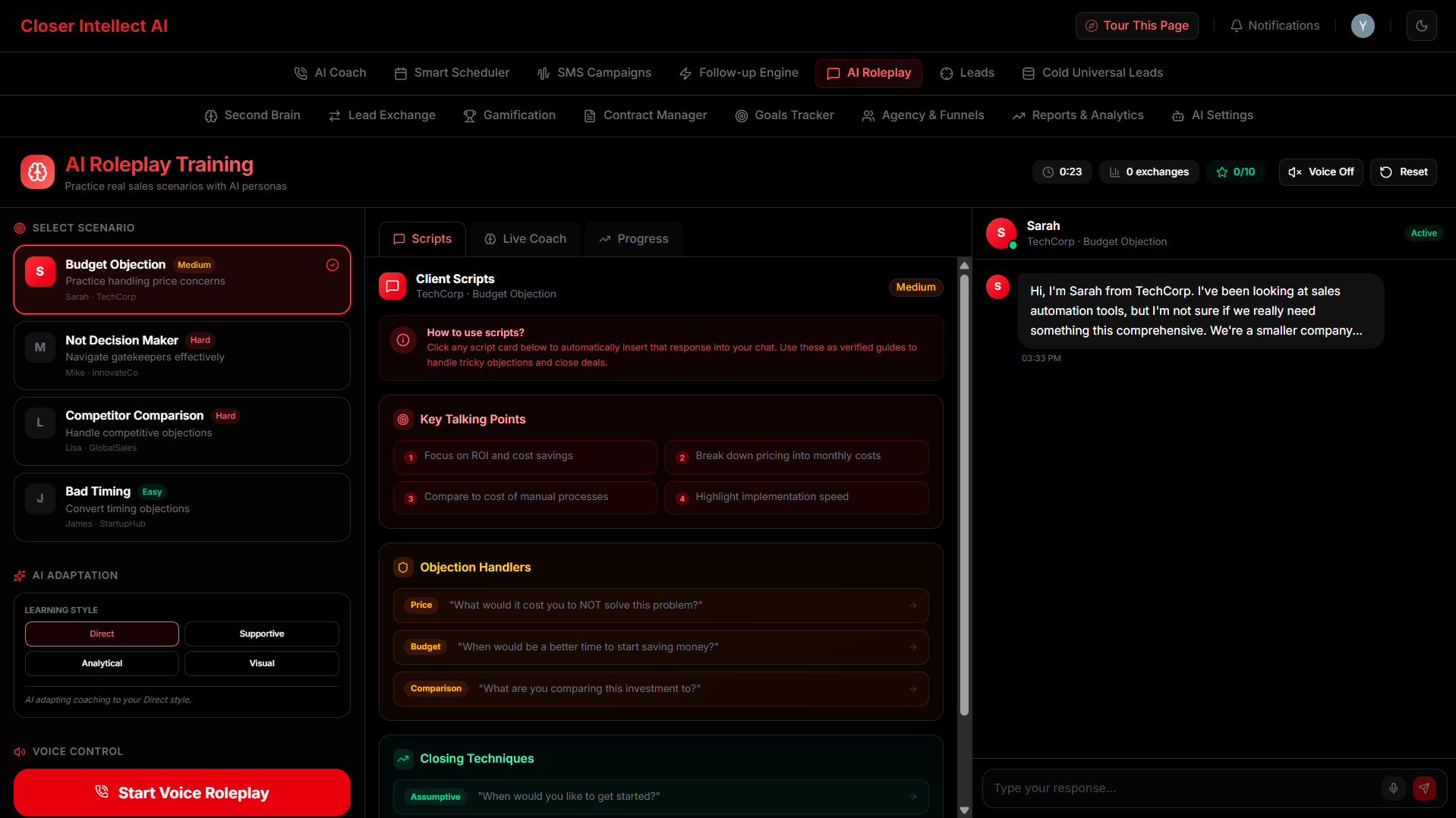
AI Roleplay Training
Improve your sales skills with our interactive training simulator.- Scenarios: Choose from various difficulty levels (e.g., “Gatekeeper Guard”, “Price Objection”).
- Voice Feedback: Talk to the AI as if it’s a real prospect.
- Real-time Coaching: Receive live feedback on your tone, pitch, and handling of objections via the Coaching Assistant.
- Tactical Guidance: Get specific, actionable advice during calls, including “Investigating Questions” to uncover needs and “Soft Skills” reminders.
Team & Agency Management
Administrators have access to the Agency dashboard to oversee operations and monitor team health in real-time.Team Invitations
- Sending Invites: Use the Invite Member button to send secure sign-up links.
- Managing Invites: Track pending invitations, resend them if they expire, or revoke them to prevent unauthorized access.
- Roles: Assign
Adminfor full organizational control orMemberfor standard agent access.
Performance Tracking (Control Panel)
The Agency Dashboard provides high-level KPIs:- Active Team: Real-time visibility into who is currently online and active.
- Daily Progress: Live counters for total calls made and leads processed by the entire agency today.
- Conversion Rate: Average conversion percentage across the team, calculated from successful deal closings.
- Performance Badges: Members are automatically rated as
Excellent,Good, orNeeds Attentionbased on their efficiency and volume.

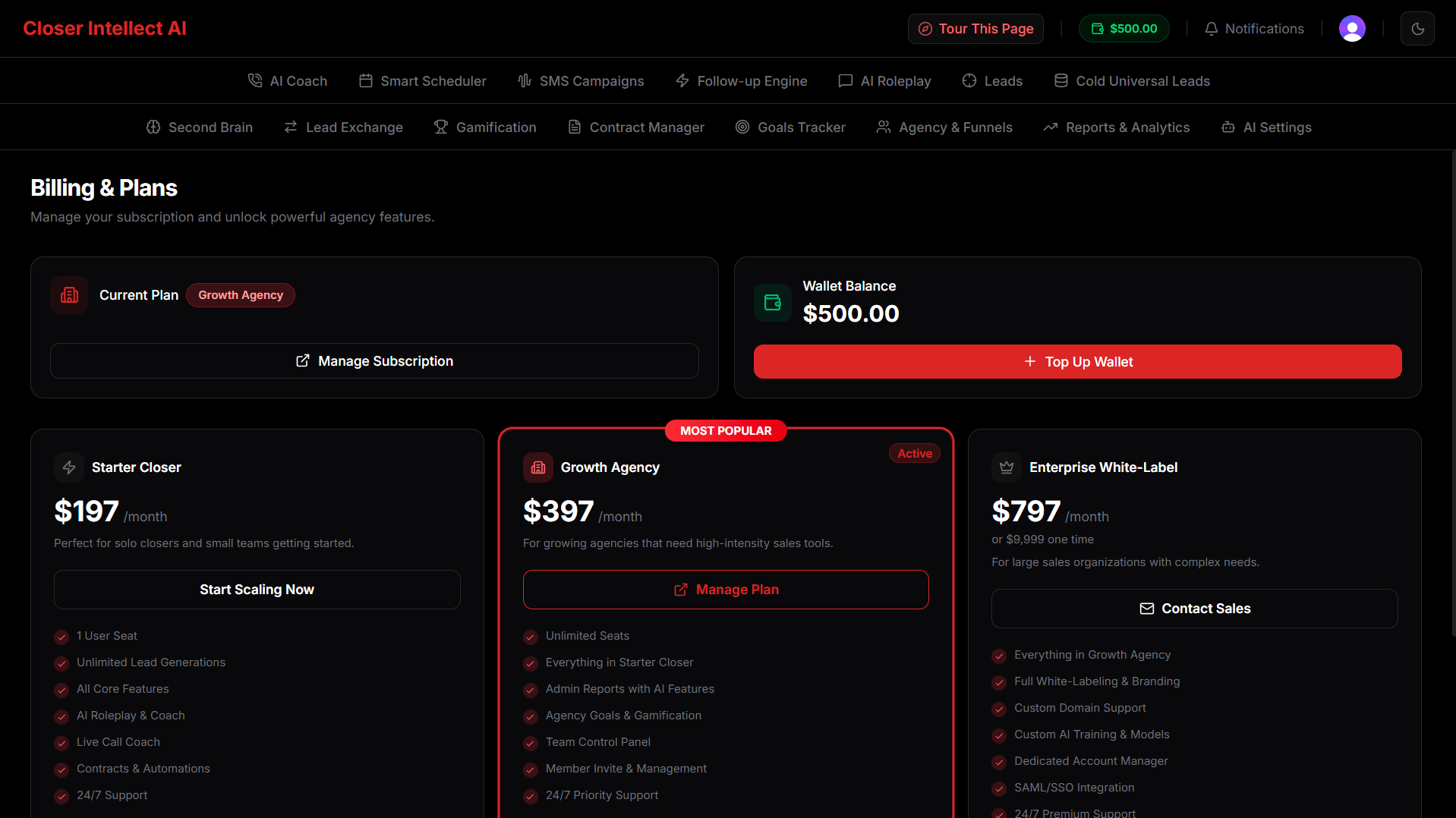
Billing & Subscriptions
Manage your agency’s premium status and payment methods seamlessly within the platform.- Premium Features: Unlock advanced AI capabilities, larger follow-up sequences, and higher limits.
- Wallet & Billing Dashboard: View your active plan, current cycle, and billing history from the Settings menu.
- Customer Portal: Securely manage your invoices, payment methods, and subscription status via the Stripe Customer Portal.
- Seamless Upgrades: Attempting to use a Premium feature will trigger an upgrade gate, guiding you through a smooth checkout process.
AI Coach & Goals
Stay on track with personalized performance targets.- Dynamic Goals: Your “Today’s Goal” is no longer hardcoded. It dynamically updates based on the call targets set by your Agency Administrator.
- Progress Tracking: Watch your goal ring fill up in real-time as you complete calls and process leads.
AI Agent Personalization
Make the AI an extension of your personal brand.- Persona: Set your AI agent name and tone (e.g., “Friendly”, “Direct”).
- SMS Signature: Automatically append your personal sign-off to all automated messages.
- Settings Merge: Your personal settings override agency defaults for a truly authentic experience.
Frequently Asked Questions
Frequently Asked Questions
How do I import leads if my CSV headers are different? Our CSV import tool features a mapping step where you can manually select which column in your file matches fields like “First Name”, “Email”, and “Phone”.Can I stop an automation for a specific lead? Yes, navigate to the sequence’s Enrollment tab and click “Unenroll” to stop all future steps for that lead.Where do I see replies from my SMS campaigns? Head to the SMS Campaigns Inbox to see and reply to incoming messages from your leads.